
Cloud practice management for UAE law firms
The court publishes.
Your file updates.
Cases, hearings, powers of attorney, finance and documents in one system — Arabic first, from any browser, with the Vision AI assistant and a portal where your client sees what you choose to show.


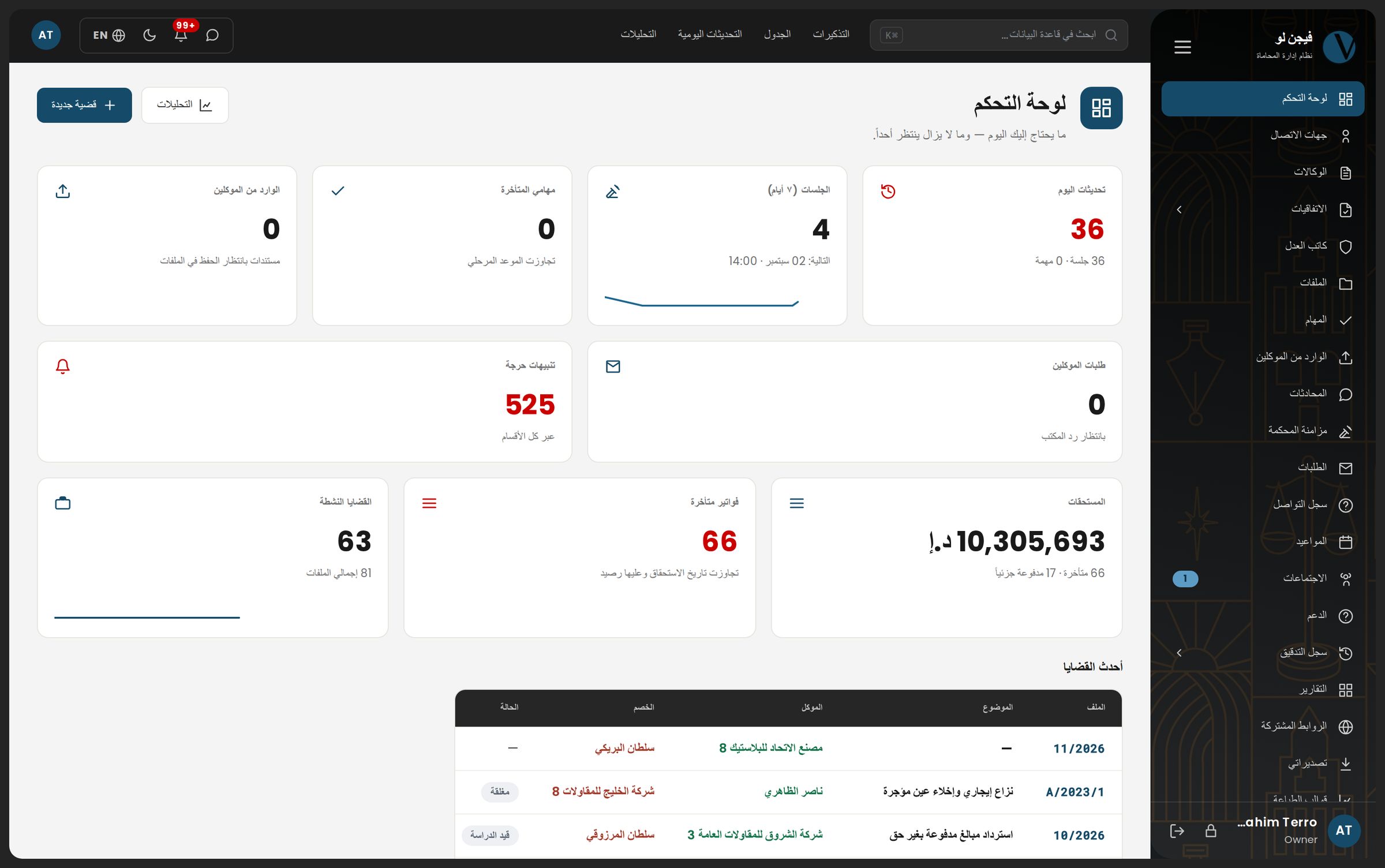
A day in the firm
What happens in your firm while nobody is looking
Five moments of one working day, on the very screens your firm will work on. Scroll to see them.
- Reminder: tomorrow's hearing has no decision recorded
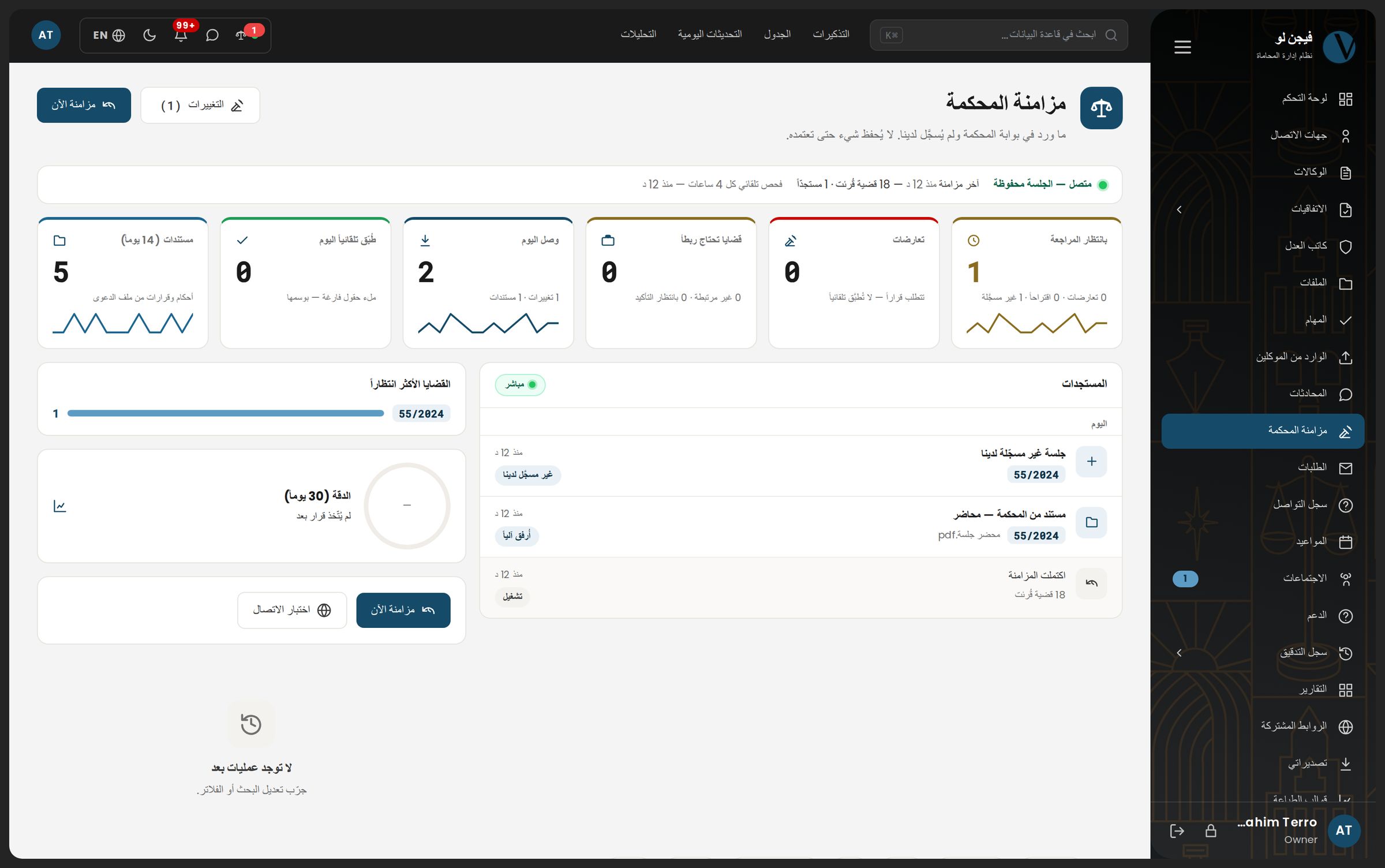
- The court published a new hearing
- The lawyer approved it with one click
- The client sees what you chose
- Finance closes the day
The reminder engine runs every day at 08:00 Dubai time: 53 reminder types across 18 record types — in the app, by email from your own address, and on WhatsApp.
Every four hours the system reads the Abu Dhabi Judicial Department and Dubai Courts portals with your firm's own account — other court systems are coming soon. What is new lands in a review queue; nothing is written to your file before you approve it.
The hearing enters the case file marked «from the court», and the court's original document stays the reference. Three failed sign-ins lock the account automatically — your firm's court account is worth more than any sync.
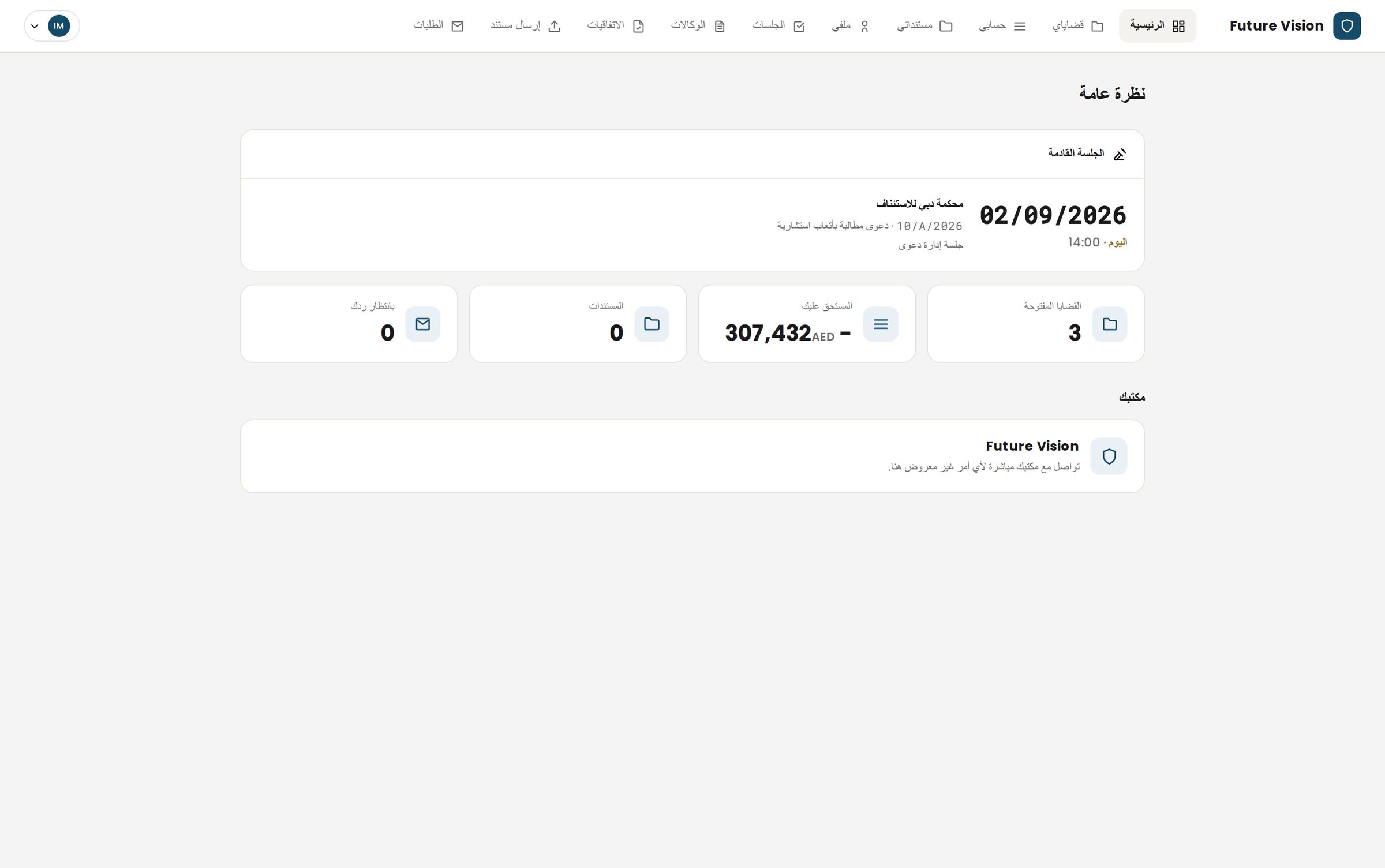
In their own portal: the next hearing, their account, and the documents shared file by file — and nothing you did not publish.
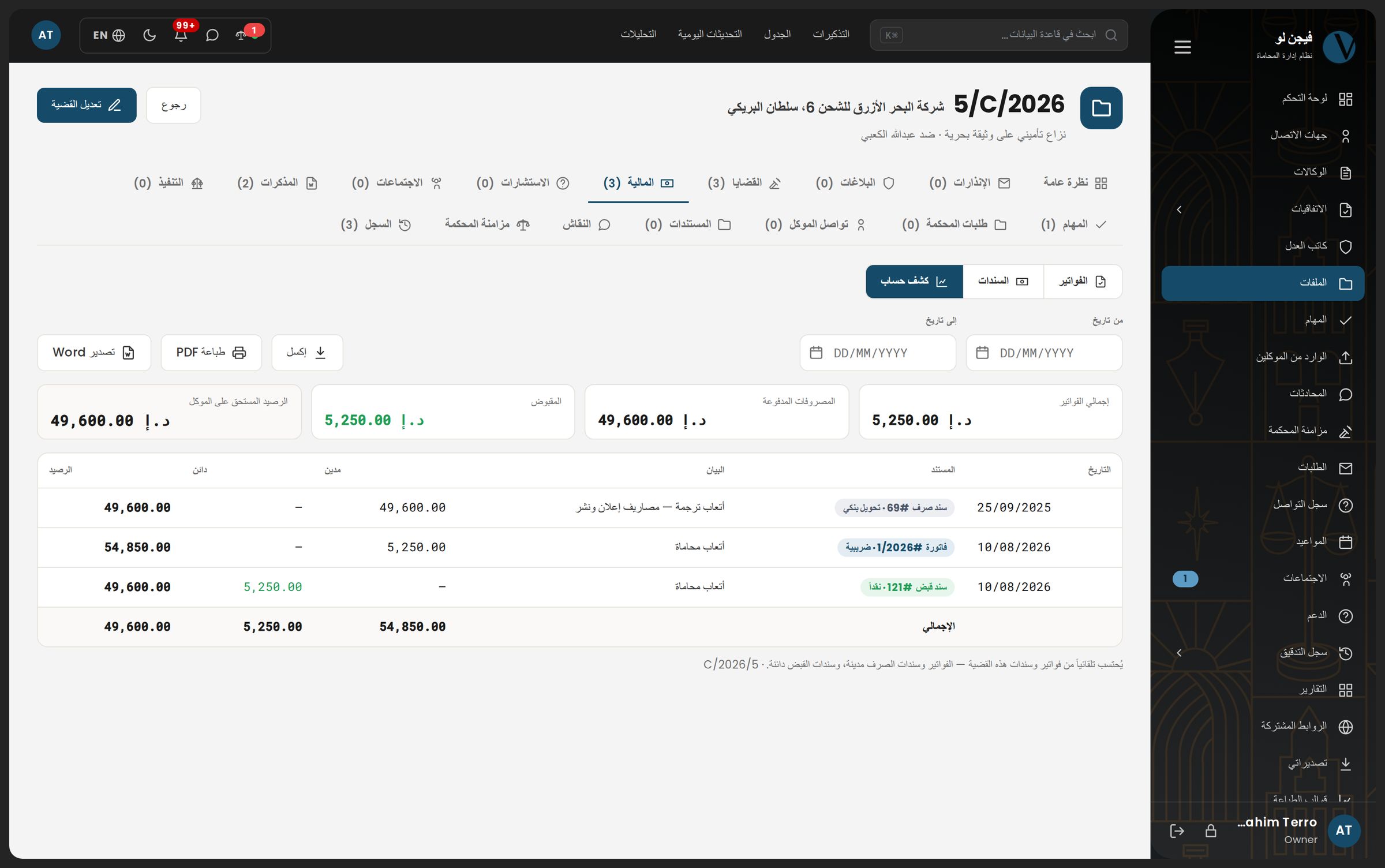
Tax invoices on their own number series, receipt and payment vouchers, and a statement built from the vouchers automatically — never typed by hand.
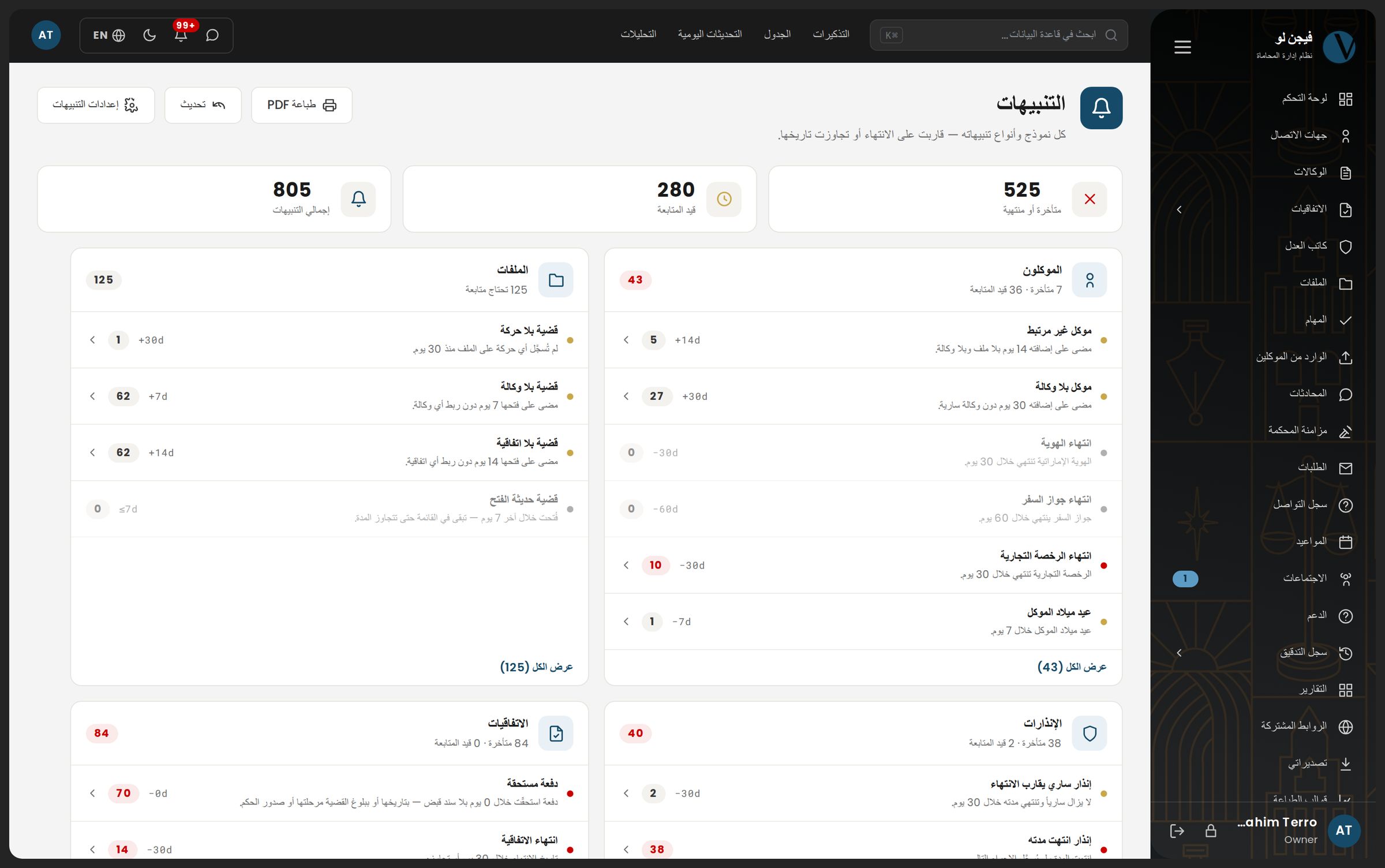
Sections
Your whole firm, in the order a file moves through it
Not a grid of identical cards. The sections as a matter actually passes through them — from the first call to the last voucher. Hover any section to see its screen.
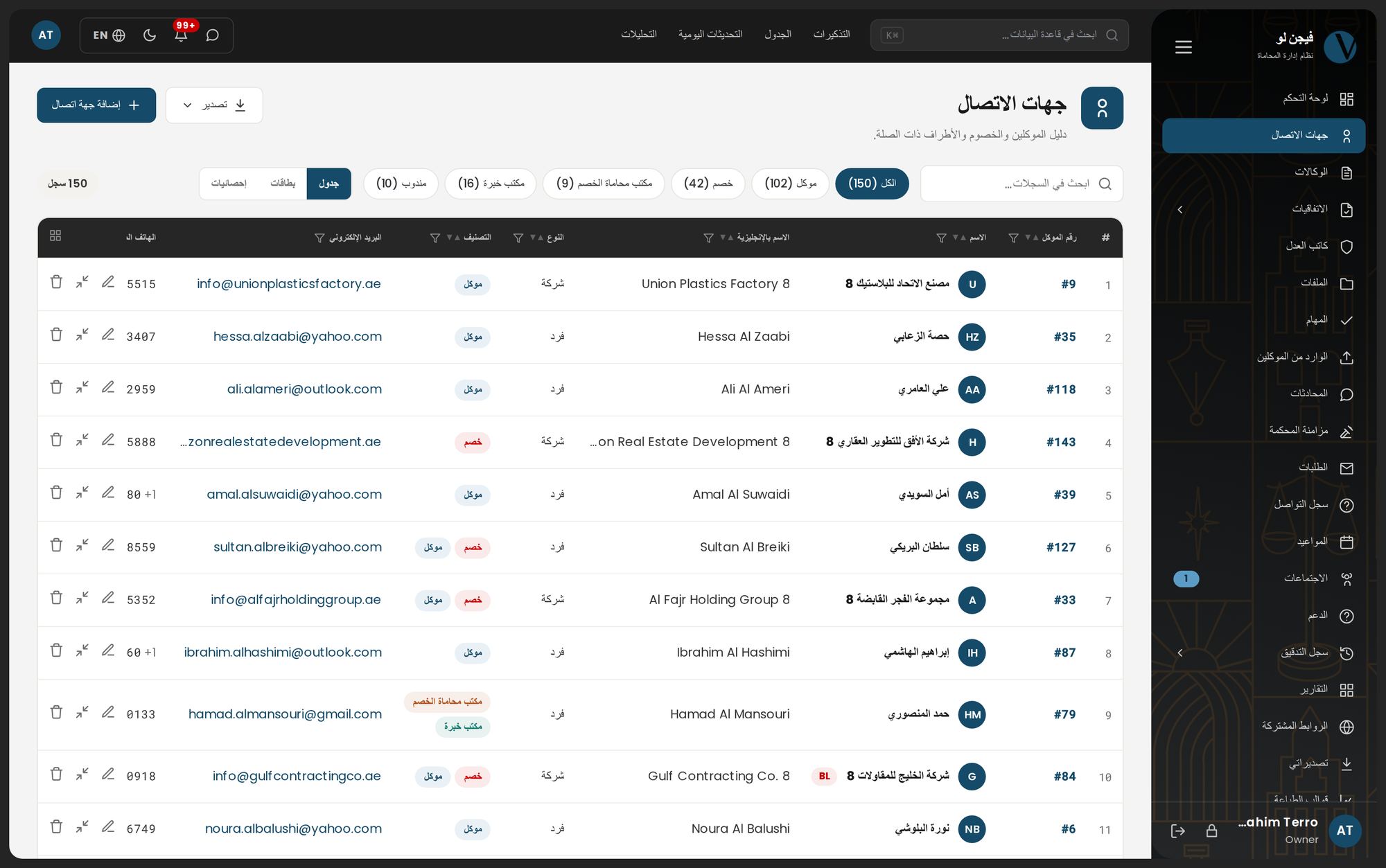
- ContactsClients, opponents and expert offices under your own client number, with a duplicate warning as you type.the client number stays as it is
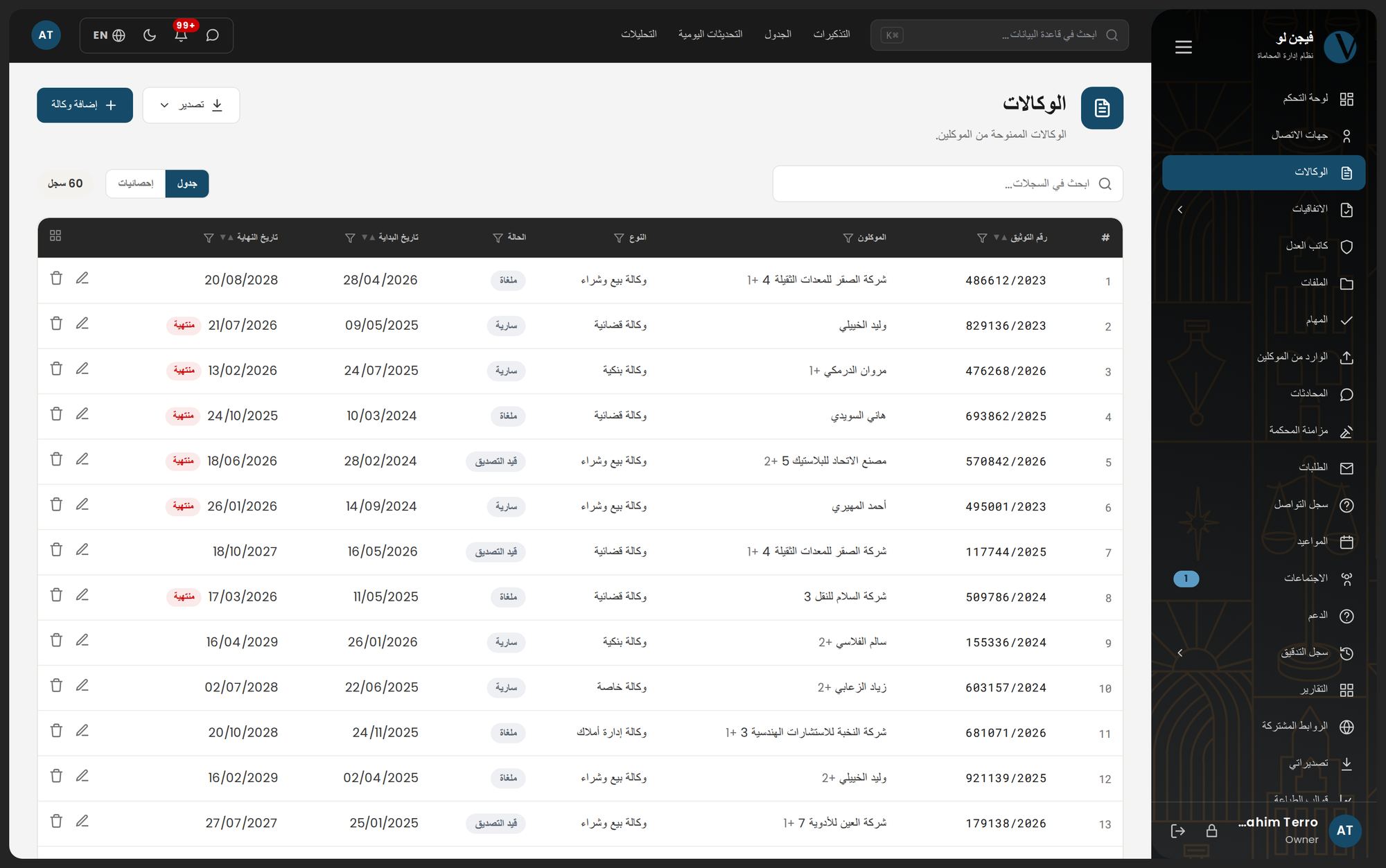
- Powers of attorneyA POA is not linked to a file before it is authenticated — number and date required.authenticated before linked
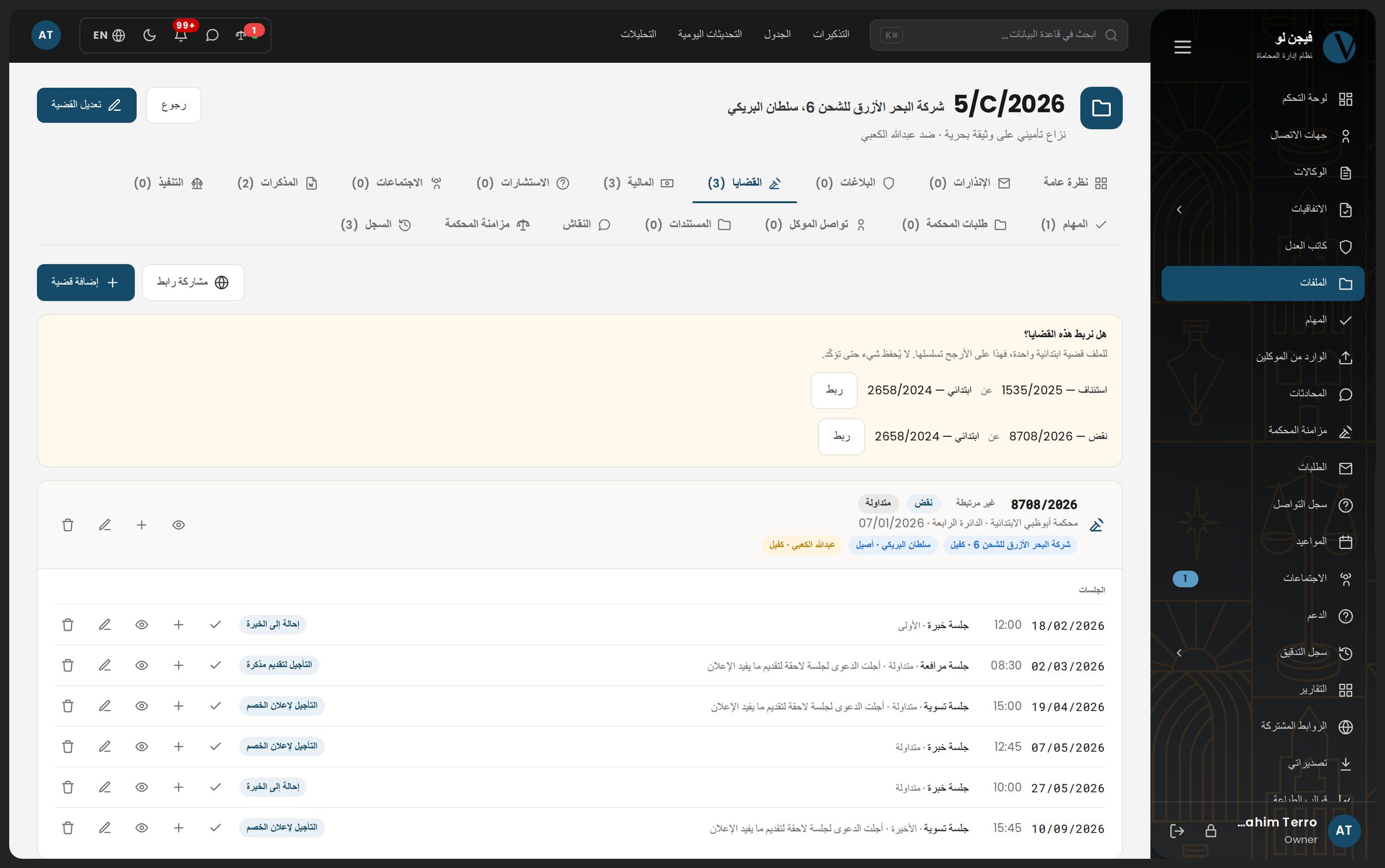
- Case filesThe file with its degrees and hearings as one tree — file number, the court's case number, client and opponent, subject.2,627 files in one migration
- Cases and hearingsRecord the hearing's decision and book the next one in a single step.decision + next hearing together
- Daily updatesThe queue of what has not been updated yet; a row disappears the moment it is closed.one court day = one decision across ten files
- Court syncThe Abu Dhabi Judicial Department and Dubai Courts portals read with your own account; everything new passes a review queue.every 4 hours · read only
- TasksA final deadline and a working date, with a status log nobody types by hand.two dates per task
- Appointments and meetingsA client meeting with its fee, language and attendance mode, numbered automatically.
- Memos and documentsWord files edited inside the system, with versions and an approval cycle for memos.5 memo statuses
- Legal noticesThe notice period counts from the service date, with a reminder before it ends.
- Police reportsIn hand or due, each with its own follow-up date.
- Court requestsWhat the firm asked the court for and what came back, with its documents.
- ExecutionEnforcement procedures in one list — court rows and firm rows together.
- Invoices and vouchersA tax or fee invoice on a number series that restarts each January, and a voucher allocated across more than one invoice.a statement derived from the vouchers
- CollectionCollection files and their follow-up in their own list.
- Agreements and settlementsA payment schedule and the receipts that settle it, line by line.
- NotaryWhat is not yet stamped and whose fees are unpaid.
- Reports and printingA report builder and a template designer in the browser, and a password-protected share link.33 print templates ready
- Analytics and audit logYour firm's charts on its own data, and every action with its owner and time.
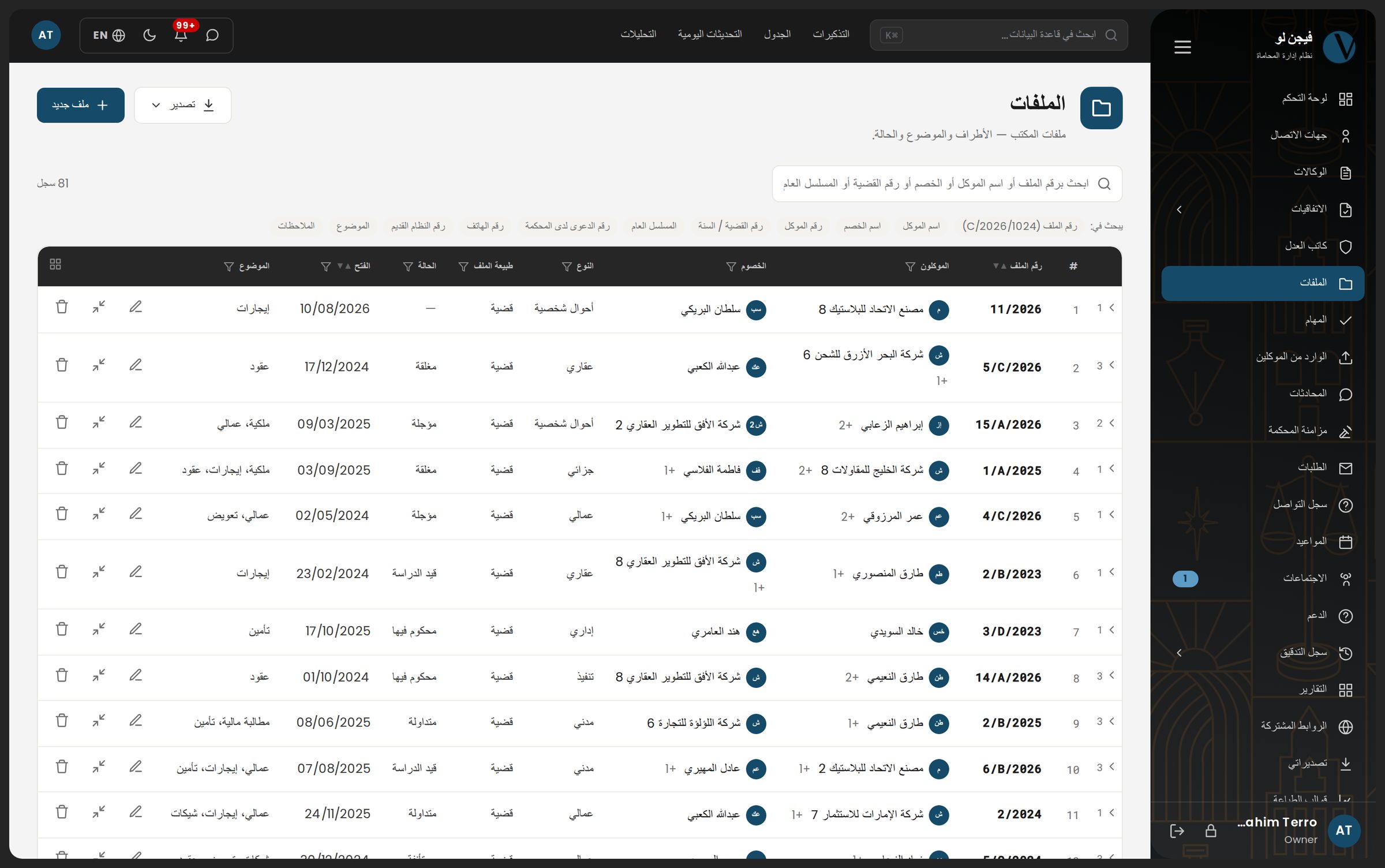
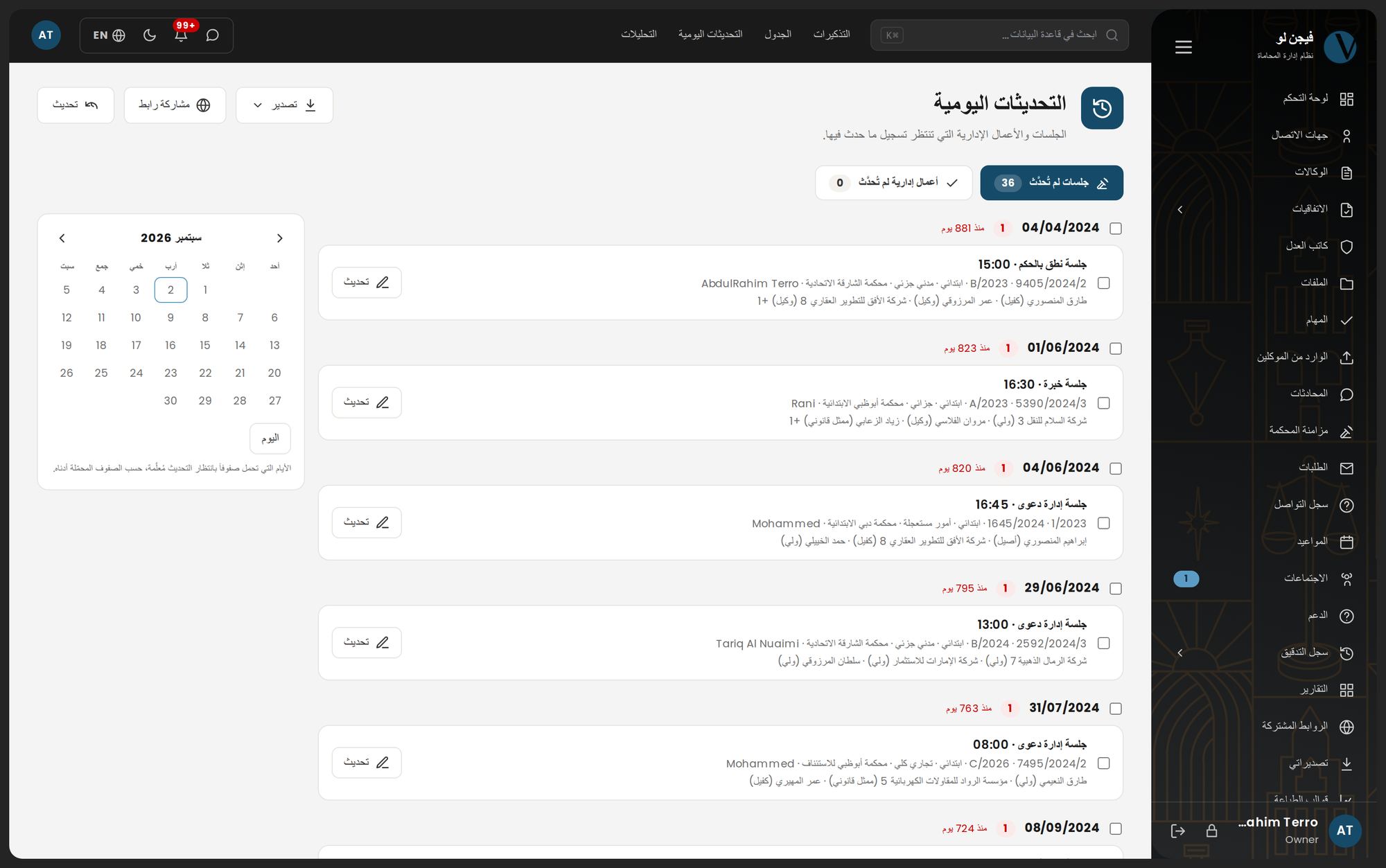
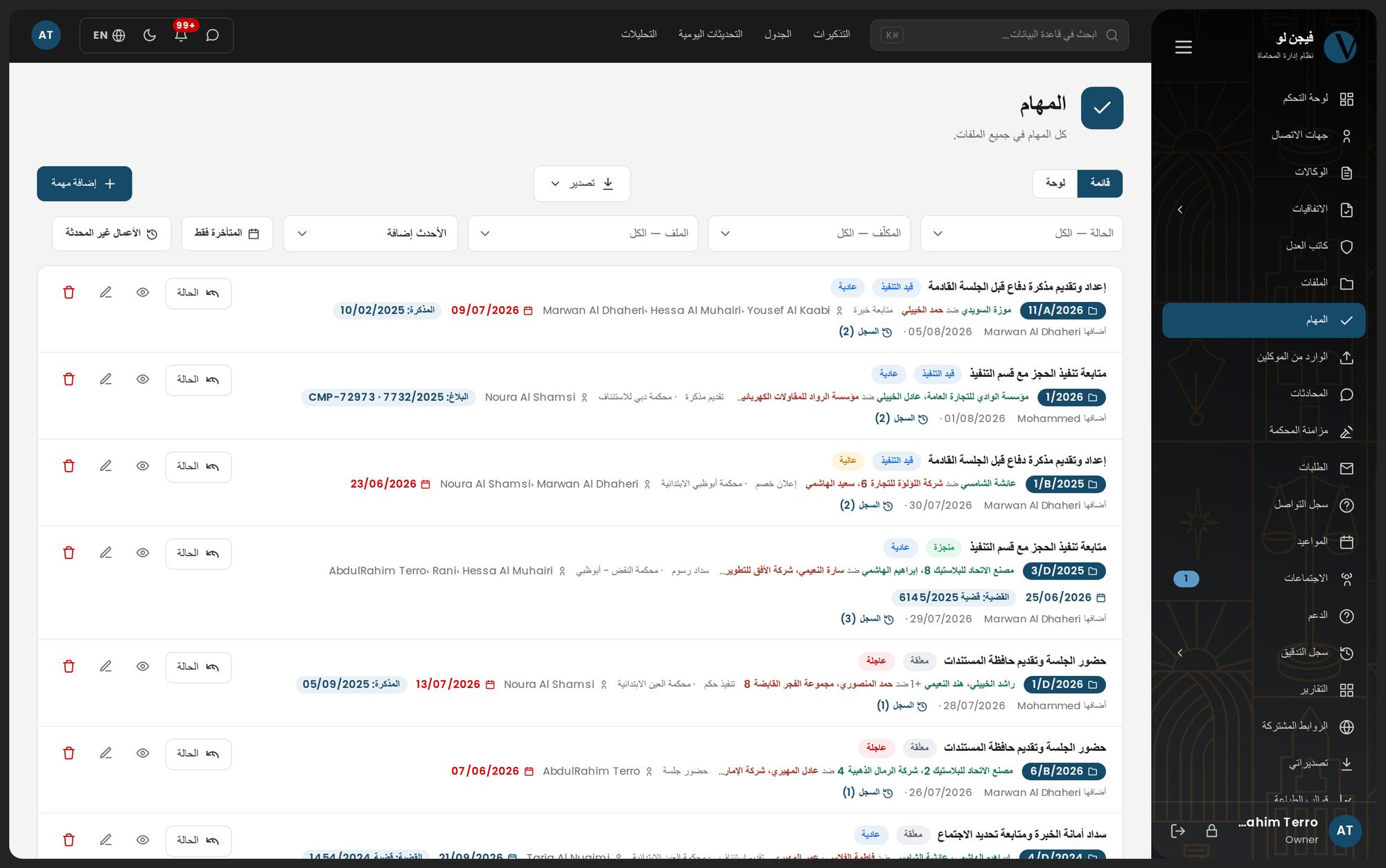
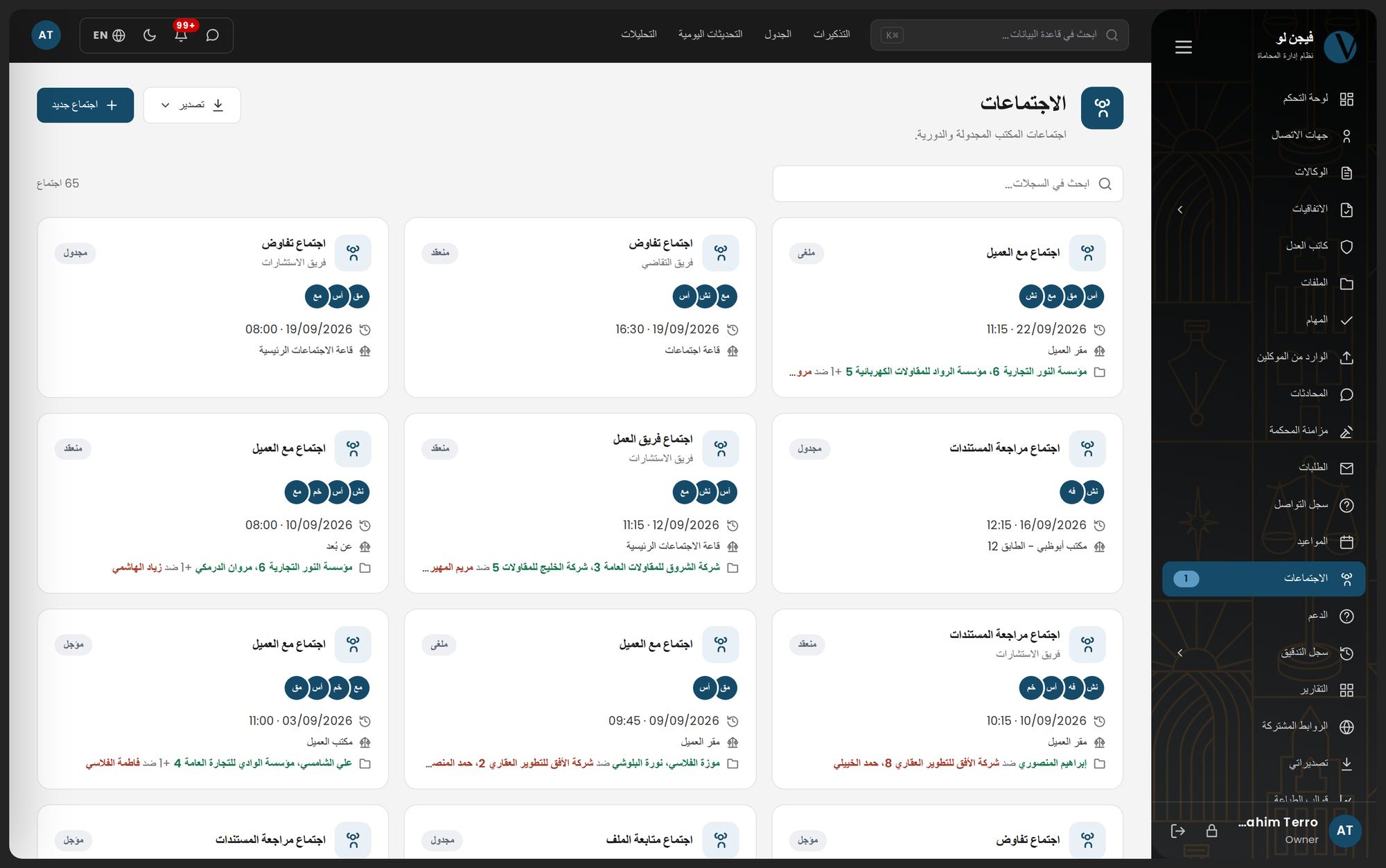
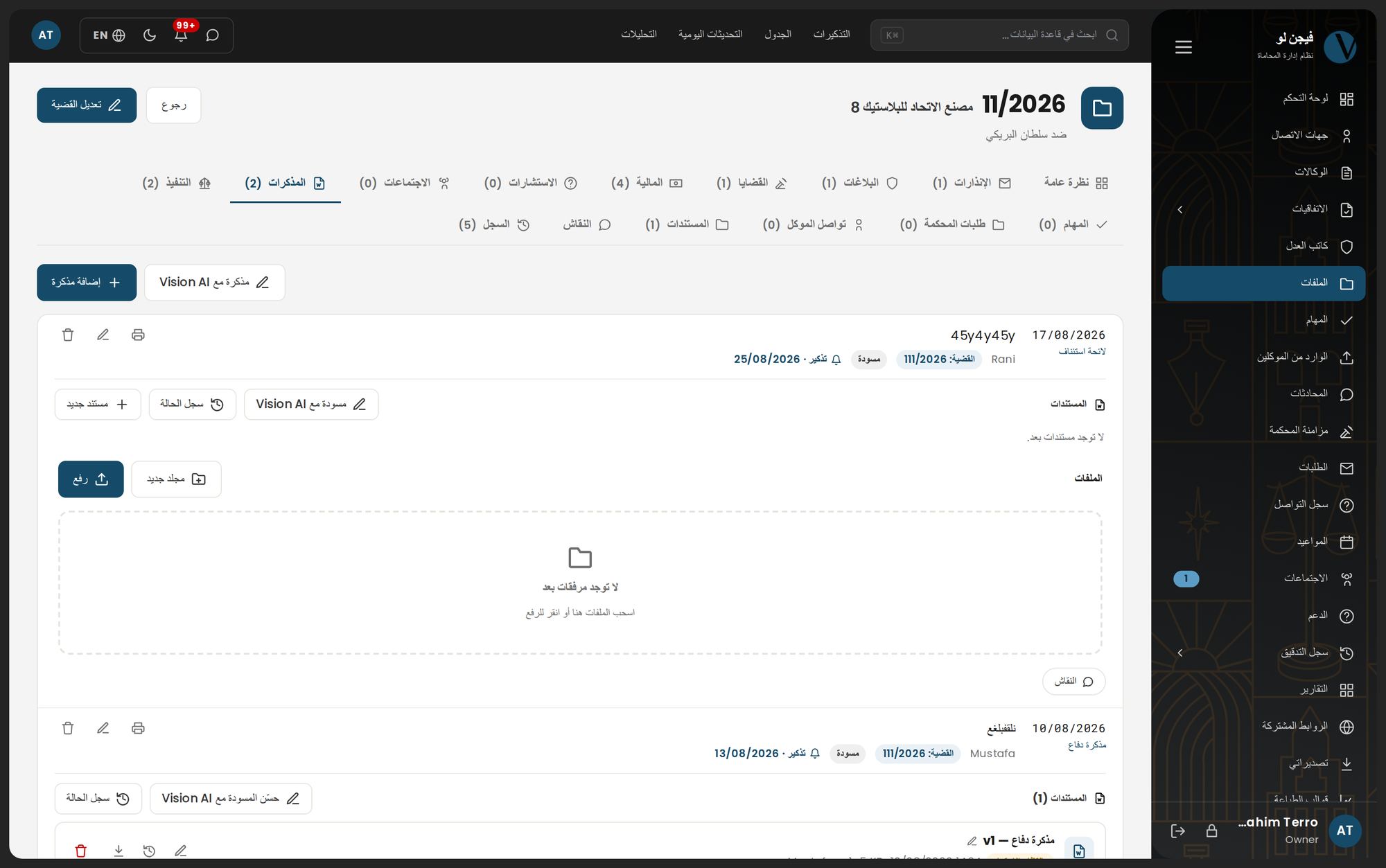
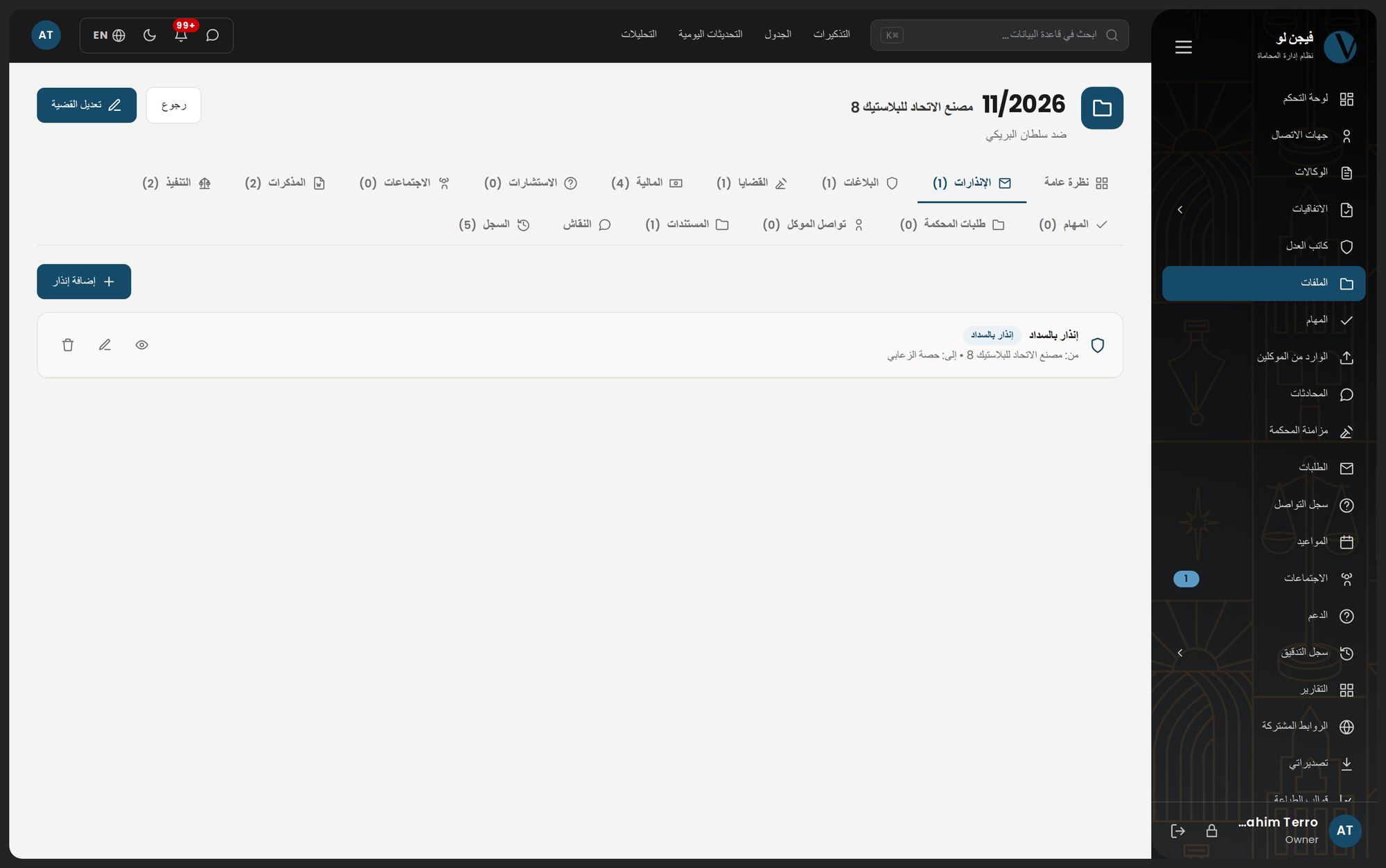
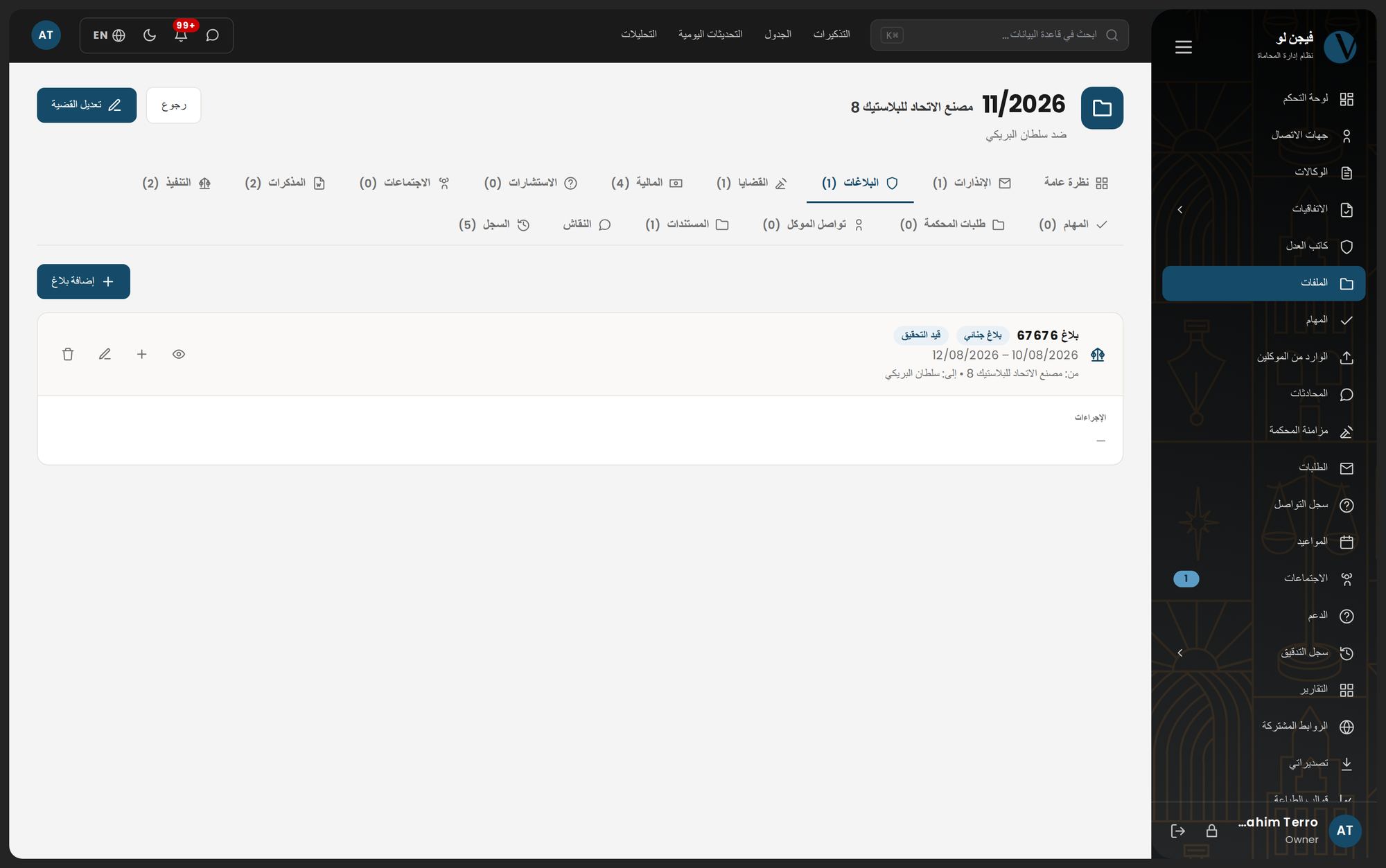
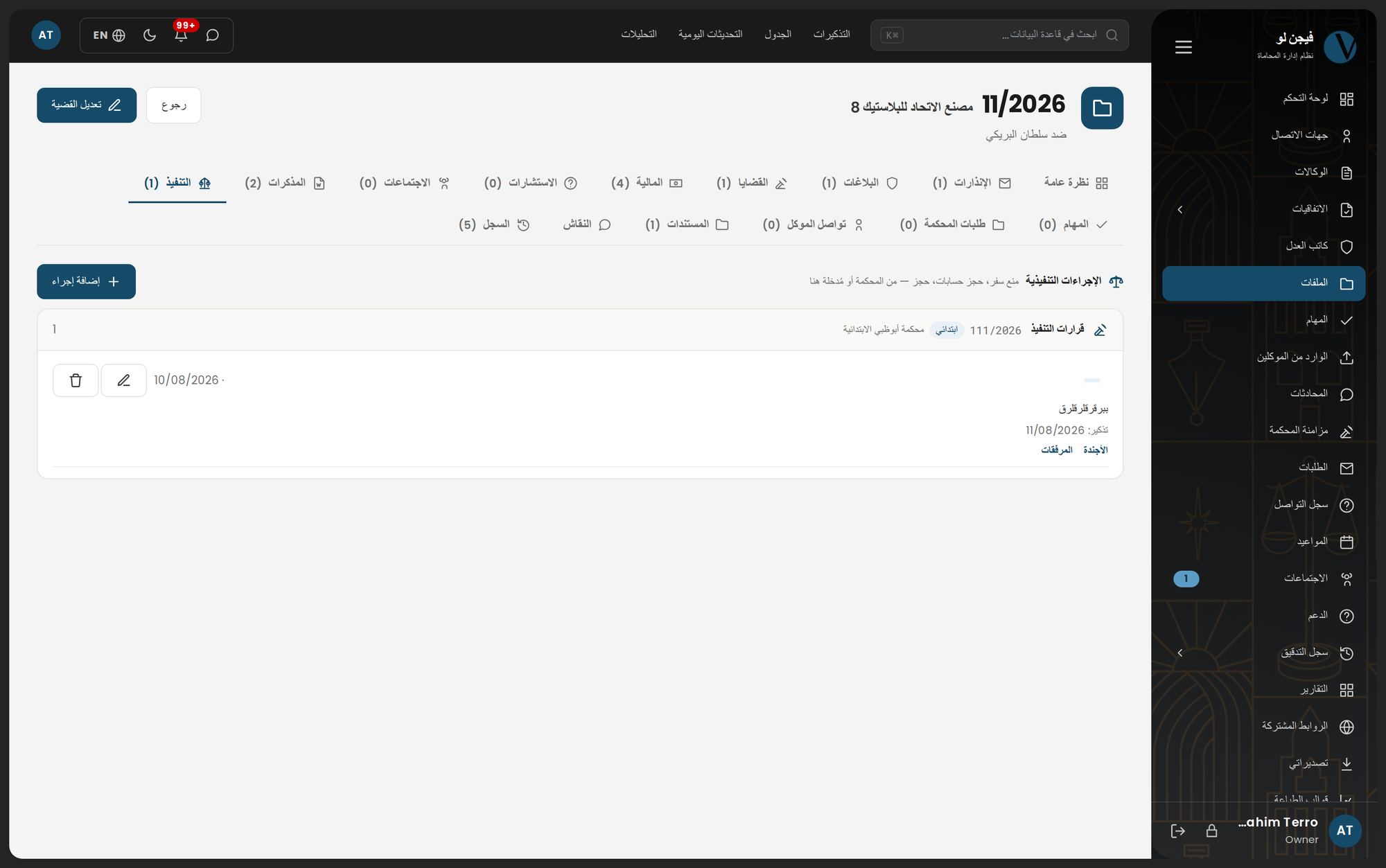
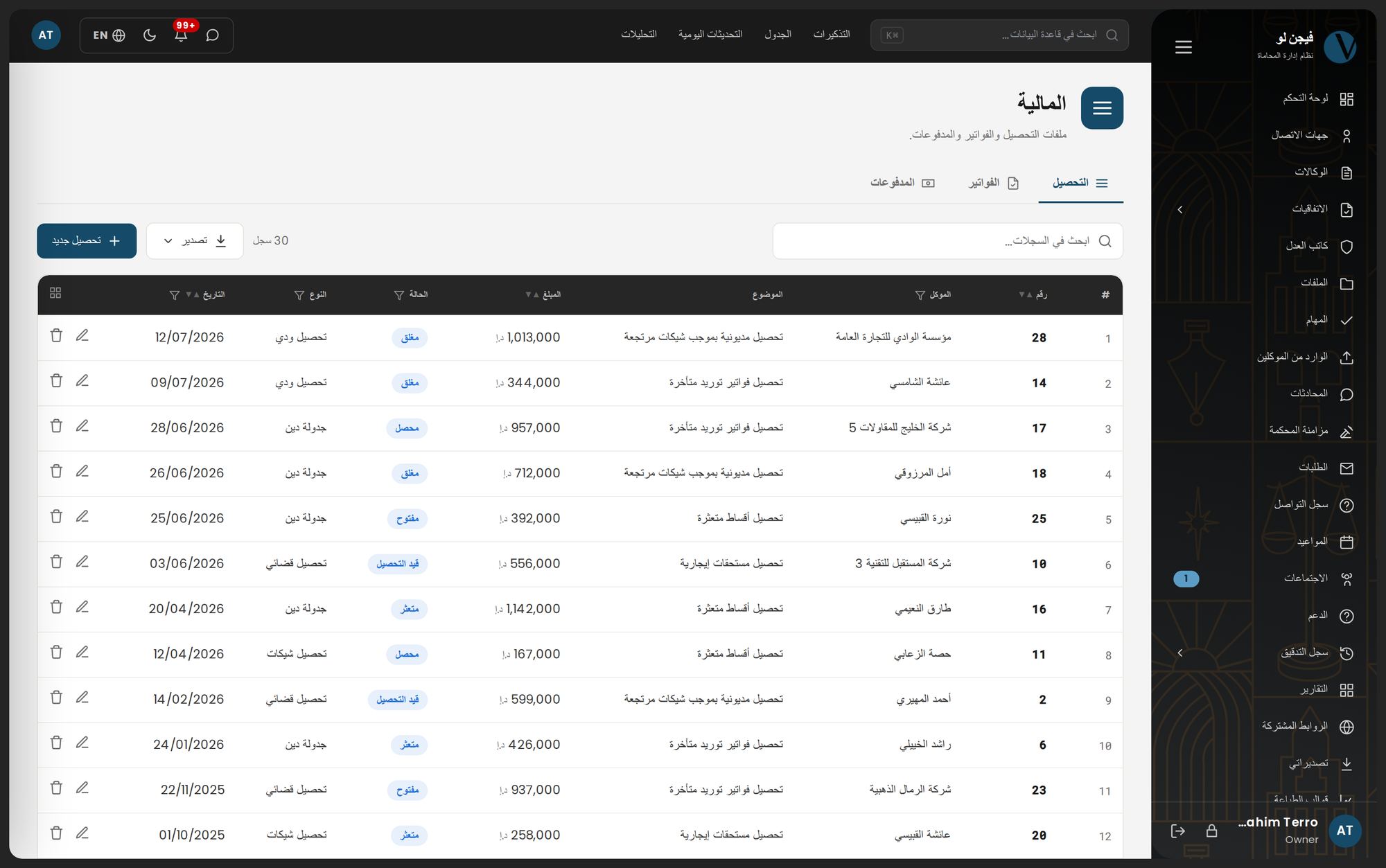
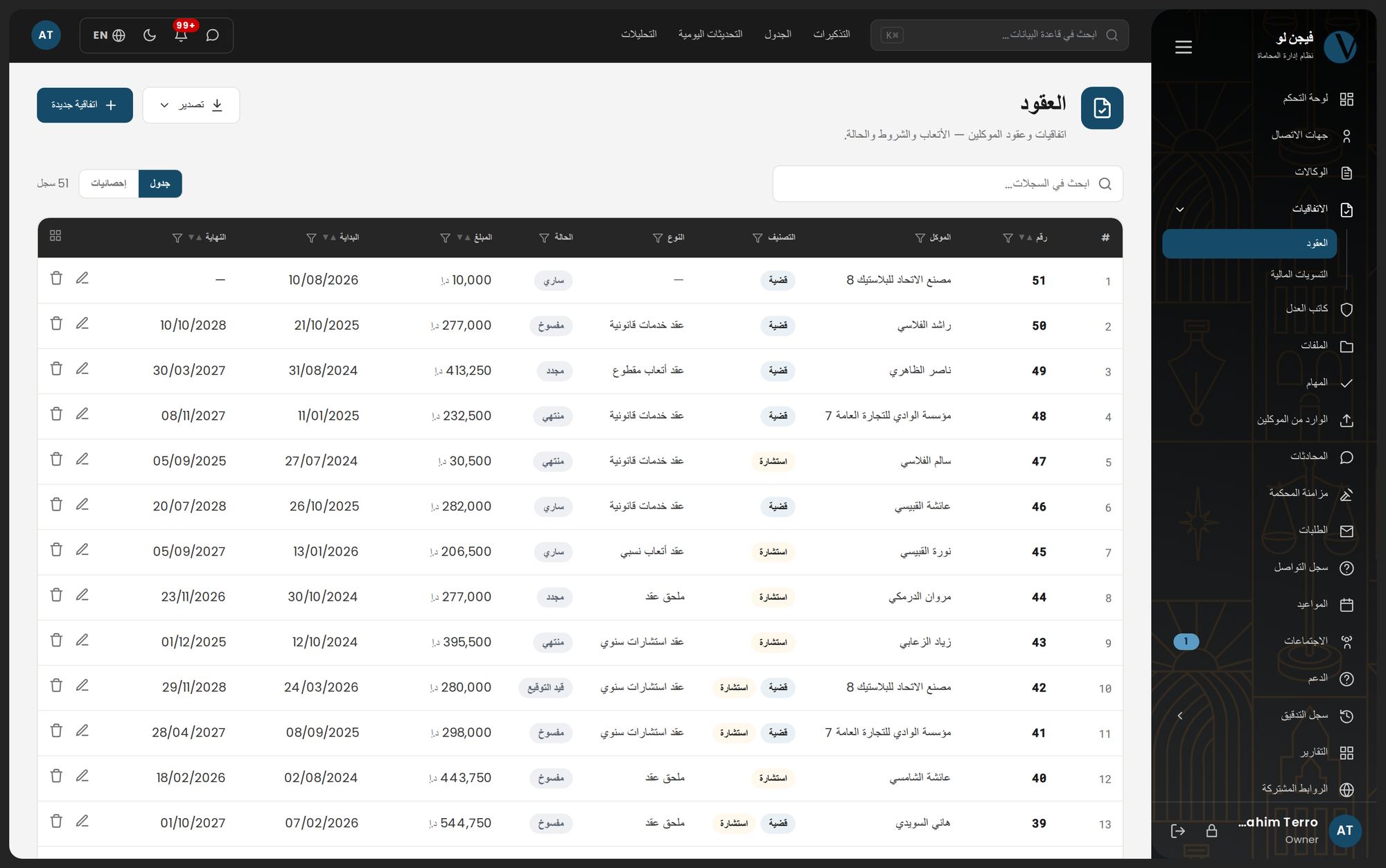
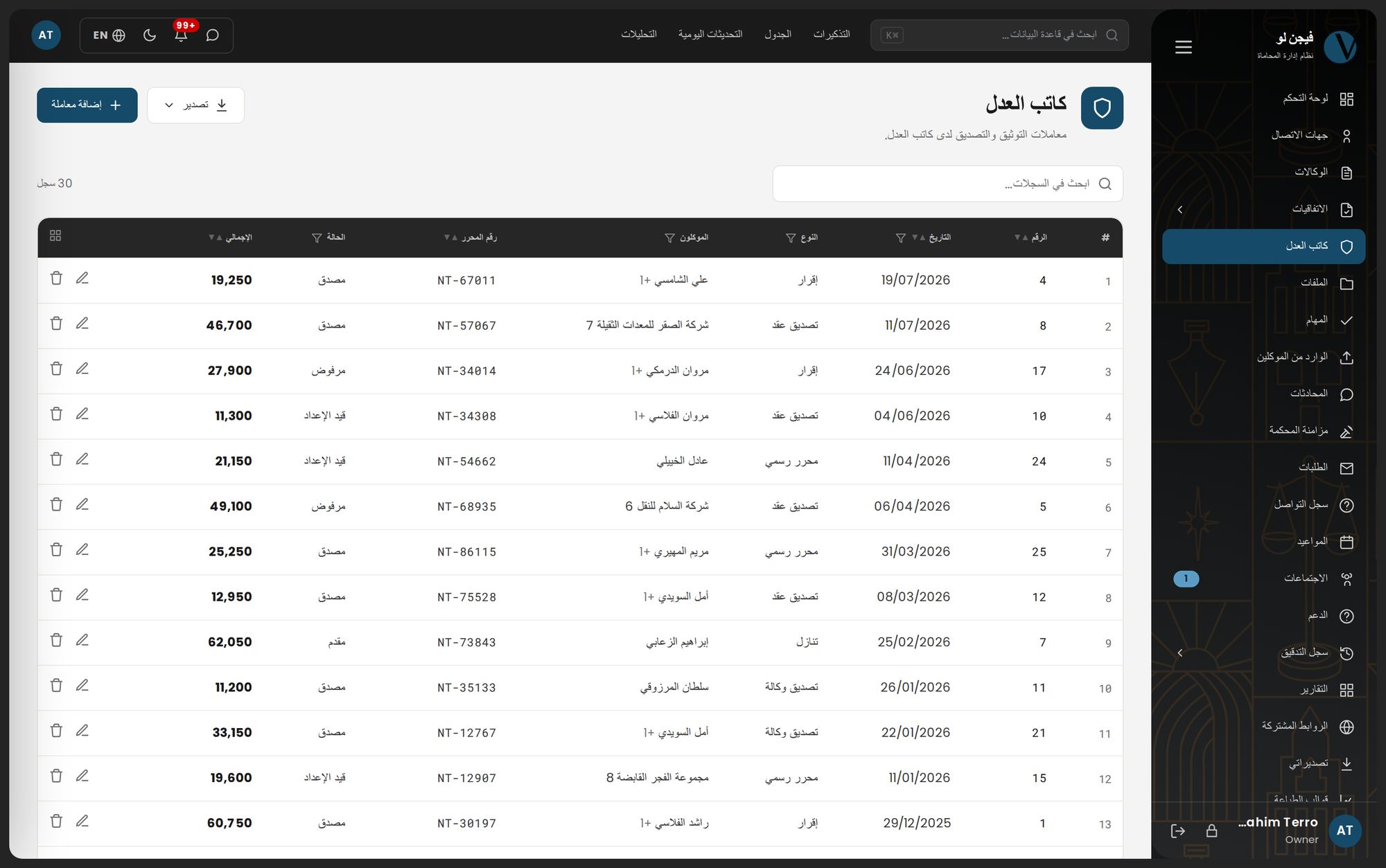
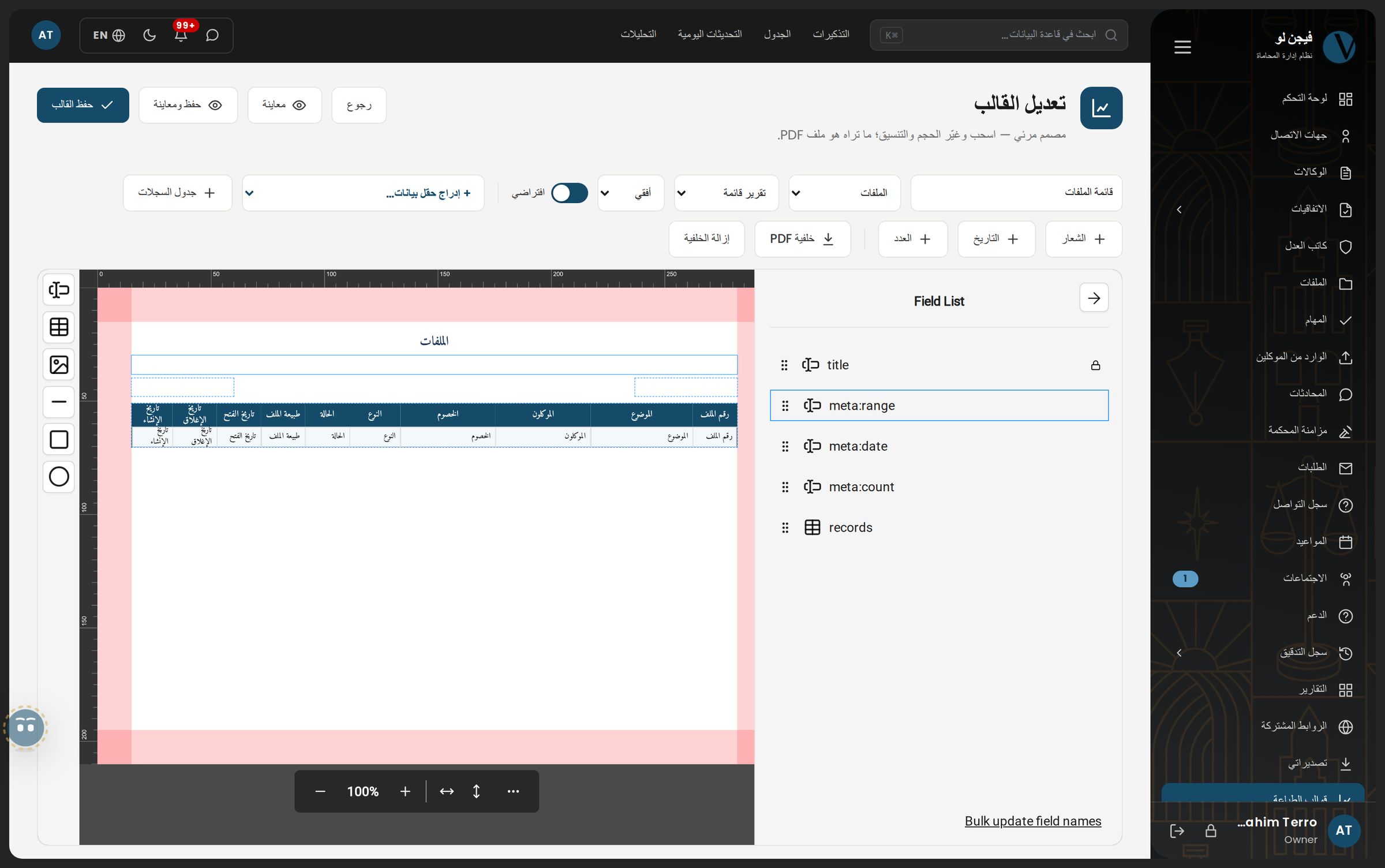
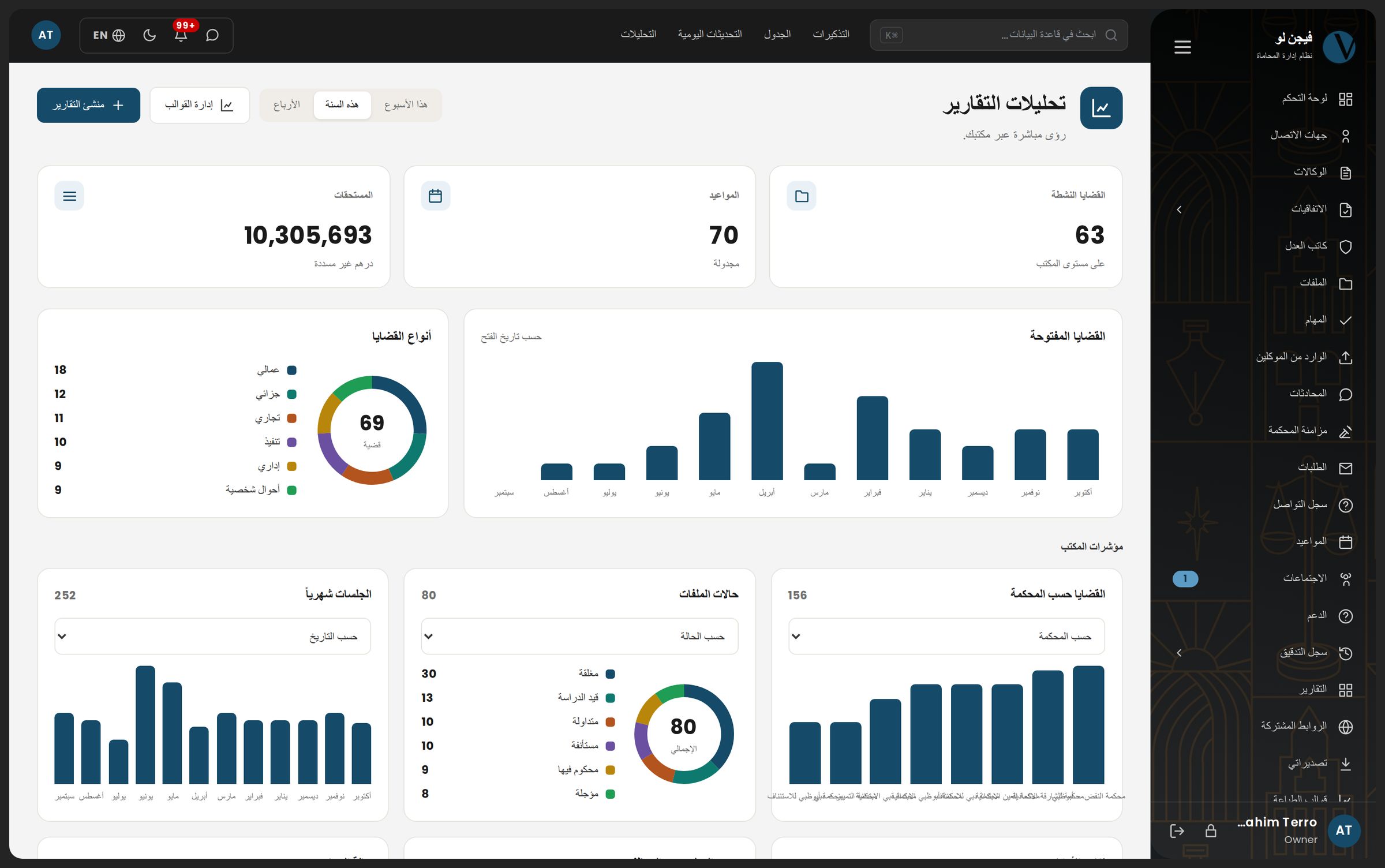
Vision AI knows every one of these sections: 70 topics in a guide written inside the system and 54 tours that light up the real button on your screen. Reading your firm's data is off by default and switched on by written agreement — read only, and every read is logged.
Your paper, not ours
Type your firm's name and look at your paper
Your logo and letterhead are printed on every page of every PDF the system produces. Try it: type your firm's name and watch the letterhead, the stamp and the invoice change.
Migration: real numbers from a real move
- Case files moved from the desktop system
- 2,627
- Hearings with their decisions
- 22,974
- Hearing decisions
- 13,404
- Attachments (7.46 GB)
- 3,975
- The client number your firm knows
- stays as it is
One UAE law firm, moved to the cloud system and working on it daily since. You get a report of what migrated, what did not, and why — before go-live, not after.
Professional secrecy is not an optional setting
- Permission keys, four actions each
- 27
- Audit log — create, edit, delete, export, sign-in
- every action, by name
- Storage on the Vision cloud
- 10 GB per user, with a usage meter
- Backups
- daily, with a restore test
Packages
A clear price per user
Every section in every package — what differs is how far the AI and court sync go.
| BasicComplete firm management — cases, hearings, tasks, finance | With AIThe AI works on your own firm's files | Most chosenWith court syncYour cases read from the court portal into your files | |
|---|---|---|---|
100AED / user / month | 125AED / user / month | 150AED / user / month | |
| Every section, no exceptions | ✓ | ✓ | ✓ |
| Client portal | ✓ | ✓ | ✓ |
| Reminders in the app, by email and WhatsApp | ✓ | ✓ | ✓ |
| Print templates on your letterhead | ✓ | ✓ | ✓ |
| Vision AI — explanations and tours | ✓ | ✓ | ✓ |
| The assistant reads your firm's data and documents | — | ✓ | ✓ |
| Records created from scanned documents | — | ✓ | ✓ |
| AI-designed report templates | — | ✓ | ✓ |
| Legal deadline computation and legislation search | — | ✓ | ✓ |
| Hearings and decisions read from the court portal | — | — | ✓ |
| Court cases matched to your files | — | — | ✓ |
| Every update approved by a lawyer before it is written | — | — | ✓ |
| Start now | Start now | Start now |
Prices in AED per user per month, excluding 5% VAT. Minimum three users; on the monthly plan the first payment covers three months, then it renews monthly. Longer terms are paid in full up front in exchange for their discount, and the subscription renews automatically on the card unless cancelled. Migration from the desktop system and training are priced by data volume — ask for a quote and we answer with a clear price.
FAQ
What people actually ask
Will you move our existing desktop data?
Yes, and it is the first step rather than the last. We read the desktop database and migrate clients, cases, stages, hearings, decisions, powers of attorney, contracts, payments, memos, tasks and attachments, along with the dropdown lists your firm built up over the years. Your client numbers stay as they are. You get a report of what was migrated and what was not, and why — before go-live, not after.
Is it genuinely Arabic, or a translated interface?
Arabic-first. The system opens in Arabic, right-to-left, by default; English is the option. That extends to PDFs: Arabic shaping and text direction are correct, and mixed Arabic-Latin text is ordered properly. Reminder messages arrive in the recipient's language, not the sender's.
Where is our data held, and who can reach it?
Files are kept on the Vision cloud, with a storage quota per user and a usage meter your firm can see. Every action inside the system is written to the audit log under its author's name.
Can each lawyer see only their own cases?
No. Permissions today are at the module level, not the record level: anyone holding "view case files" sees every case in the firm. You can withhold an entire module from an employee; you cannot confine a lawyer to their own matters. We say this plainly because it is asked often, and finding out after purchase is worse.
Does the system read our cases from the court portal?
Yes, from the Abu Dhabi Judicial Department and Dubai Courts portals, using your firm's own account at each court. Every file carrying the court serial is re-checked automatically — every four hours while a degree is still open, once a day after the court has closed every degree in it — and whatever changed arrives in a review queue: a hearing, a decision, a degree of litigation, a party, a document — none of it written to your file before you accept it. The connection is read-only at both courts: the system files nothing and changes nothing at either.
What about SMS?
Not available today. The working channels are in-app notifications, email from your firm's own account, and WhatsApp. The SMS channel appears in the settings and does not yet send anything, and we do not count it as part of what you are buying.
Is there a mobile app?
Yes — on the App Store and Google Play as Vision Law System. It is the cloud system's companion, signed in with your firm's own account: today's hearings, tasks and alerts, the whole case file, recording a hearing's decision as you leave the courtroom, finance and reports, and team chat. No separate subscription and nothing to buy in the app — the subscription and the firm's setup stay in the browser. Mind the name: the older Vision app for the desktop system is a different app and does not connect to the cloud product, so install from the two links here.
What exactly does Vision AI do?
By default: it explains the system, takes you to the right screen, walks you through the real interface, and opens a support ticket with a drafted subject when it does not know. Reading your firm's records — briefing a case, counting and grouping, drawing a chart, preparing an export — is a separate capability that is off by default, switched on for your firm under a written agreement, and is read-only: the assistant cannot modify, create or delete a record, and every read is logged.
How long does go-live take?
It depends on the size of your database and the number of attachments. The usual order: read your database and report what can be migrated, then a trial migration you review yourself, then the final migration and training. Ask for a quote and we will give you a timeline based on your data, not on an average.
Get in touch
We will show you the system on data like yours
Leave your number and we will call, or start a WhatsApp conversation now. The quote includes migration and training — and we will tell you what the system does not do before you ask.